
Send My Location - GPS Tracker
o16i AppsMaps & Navigation
4.544.00 Reviews
- Version
- 2.0.3
- Installs
- 1.00M
- Age Rating
- Everyone
Screenshots
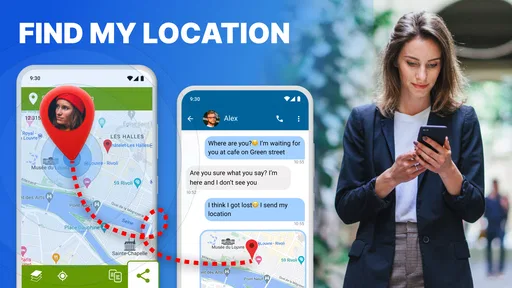
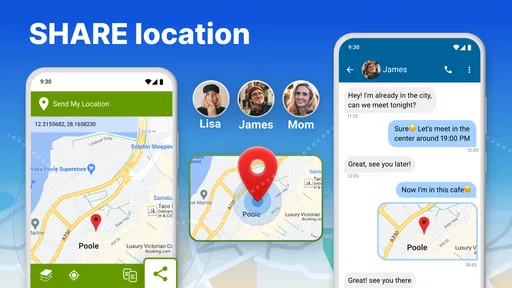
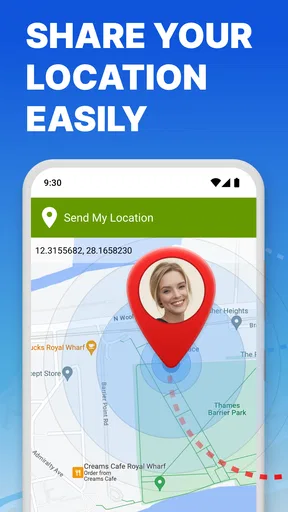
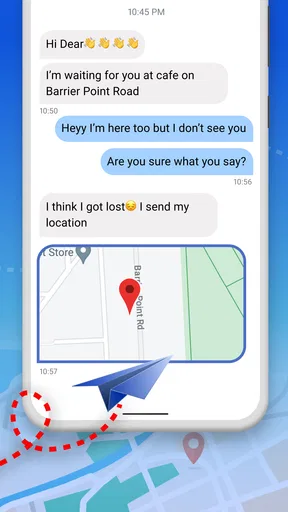
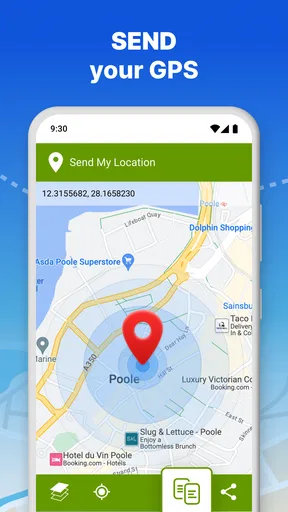
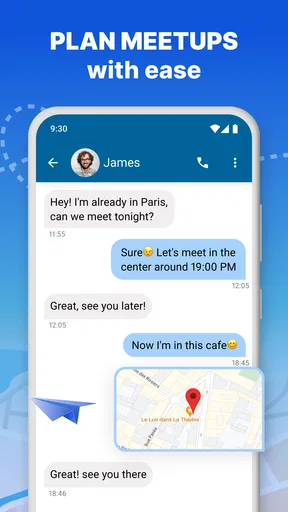
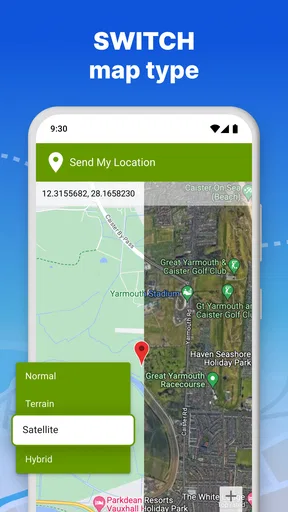
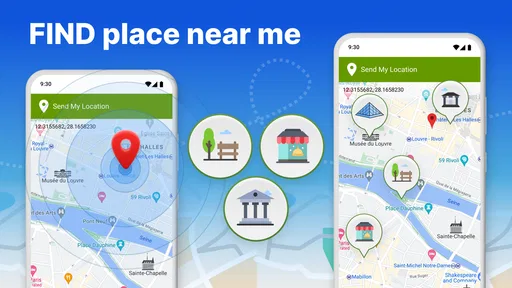
Our Review of Send My Location - GPS Tracker
 Analysis by Appyee
I judge a location-sharing app less by how many map tools it offers and more by how quickly it helps someone answer a simple question: “Where should I meet you?” Send My Location - GPS Tracker is aimed at that small but common task. It sits in the maps and navigation category, is made by o16i Apps, and has a 4.4 average from around 9,100 ratings. More than a million installs suggest it has found an audience, but the practical question is whether a focused location sender suits the way you actually travel and communicate.
A small job, done with little ceremony
The best fit for this app is a moment when you need to pass your current position to another person, not plan a whole journey from scratch. Imagine leaving a busy station, finding the right exit, and wanting a friend to come to your actual spot rather than guess from a street address. A dedicated sender can make that exchange feel more direct than opening a full navigation app, searching for the place, and explaining which entrance you mean.
I would also use it before setting off on a walk where the destination is easier to describe on a map than in a message. Sending a point can reduce back-and-forth, especially when the other person is already using a messaging service you both know. That is a modest convenience, but it is often exactly what people need: a clear starting point for a conversation, not another complicated system to manage.
What free access means in practice
The app is free to download, which makes trying its basic purpose a low-commitment decision. It is rated for Everyone, and the current version is 2.0.3, with Android 5.0 as the minimum operating-system requirement. There are in-app purchases listed from $0.99 to $99.99 per item, so I would treat the free entry point and any paid extras as separate questions. The existence of purchases alone does not tell me which optional items matter or whether a particular user will need them.
My value test is straightforward: install it only if sending a location is a task you do often enough to justify keeping a separate app for it. If you already share map pins comfortably through your regular map or messaging app, paying for an extra option may not improve your routine. If a purchase is presented, I would first check exactly what it unlocks and whether it addresses a problem I personally have; the wide price range makes that more sensible than assuming every item is a small upgrade.
Using it in real life
First off, setting up Send My Location - GPS Tracker is as smooth as butter. You download it from your app store, and boom, you’re ready to go. The interface is straightforward, which is always a plus. You don’t want to spend half your day figuring out how to use a tracking app. The clean and intuitive design means you can start sharing your location with just a few taps.
Features that Stand Out
One of the features I absolutely love is the real-time location sharing. It’s super handy when you’re meeting up with friends or family, and you want them to track your journey. There's a certain peace of mind in knowing that someone can see where you are, especially during those late-night commutes.
Another nifty feature is the ability to send your location via various platforms. Whether you’re texting or using a messenger app, Send My Location - GPS Tracker has you covered. This makes it incredibly versatile, fitting seamlessly into your existing communication habits.
Privacy and Security
Now, I know what you’re thinking: what about privacy? The app does a great job of addressing these concerns. You can choose exactly who sees your location and when. Plus, it doesn’t keep a history of your locations, so you know your data is safe. It’s like having a personal bodyguard for your privacy!
Performance and Usability
The app runs smoothly, even on older devices, which is a big win. I didn’t encounter any lag or crashes, which is crucial when you’re relying on an app for navigation. The battery consumption is also pretty efficient, so you don’t have to worry about draining your phone while you're out and about.
When a quick pin is not enough
There is an important distinction between sharing a point and relying on a complete navigation or family-safety service. A location sent at one moment can help someone find a meeting place, but it should not be treated as a substitute for turn-by-turn directions, route planning, or a dedicated live-location arrangement unless that is clearly what you have set up. I would send the location before moving into a place with poor reception, then agree on a simple fallback—such as a named entrance or a nearby landmark—so the recipient is not left guessing if the map takes time to load.
For outdoor plans, I would use it as a communication aid, not as a safety plan by itself. A pin can help a companion understand where you began or where you hope to meet, but it does not replace telling someone your intended route and expected return. This is especially relevant if the trip takes you beyond reliable connectivity: GPS positioning and the ability to deliver a message are different things. If the message cannot get through, the recipient cannot act on the location just because it was captured on the phone.
Choosing the right kind of sharing
Before sending a point, I would check whether I am sharing where I am now or asking someone to follow a changing journey. Those are different needs. For a quick pickup, a single location is often enough; for a person who needs to monitor progress over time, a service designed around ongoing location sharing may be a better match. That distinction also helps avoid oversharing: send only what the other person needs for the situation, and avoid treating a one-off meetup as a reason to keep location access open longer than necessary.
There is a practical accuracy trade-off in dense city streets, underground stations, and tall buildings. A map marker can be less useful when several entrances or levels are close together, so I would pair it with a short clue: “street entrance,” “north side,” or “outside the ticket hall.” That small extra message can be more useful than repeatedly refreshing a map. In an open area, the point may be easier to interpret; in a crowded complex, context matters as much as coordinates.
Compared with maps and messengers
Most people already have at least one way to share a map location: a navigation app can provide a pin alongside directions, while a messenger may make sharing feel natural because the conversation is already there. Those options can be better when you need the recipient to navigate to a destination, see a route, or keep all meetup details in one chat. The reason to choose a dedicated sender is convenience when its focused workflow gets you to the location-sharing step with less fuss.
The trade-off is another app to install and learn. If your friends or relatives are uncomfortable opening unfamiliar map links, the simplest option may be whichever service they already use. I would test the recipient side before depending on it for an important pickup: send a location to someone you trust, ask whether it opens clearly on their phone, and agree on what to do if it does not. A sender is only useful when the person receiving the location can act on it.
Who gets the most from it
I can see the strongest case for people who regularly coordinate short meetups, need to tell someone where to collect them, or want a quick way to send a point while travelling. It may also suit someone who does not want to learn a large navigation app just to pass along a location. For these users, the benefit is not an elaborate feature set; it is reducing the number of steps between “I’m here” and the other person understanding where “here” is.
I would skip it if you need detailed offline maps, reliable turn-by-turn navigation, a full trip history, or ongoing monitoring with clear controls for multiple people. Those are different jobs, and a broader navigation tool or a purpose-built location-sharing service is likely to be a better choice. I would also think twice about installing it for a one-time need if the messaging or maps app already on your phone handles that situation well.
Why You’ll Love It
If you’re someone who enjoys outdoor activities like hiking or cycling, this app is a game-changer. You can easily share your route with friends, making group activities a breeze. Plus, it’s perfect for keeping track of kids or elderly family members, ensuring they’re safe and sound.
Not to mention, the app’s ability to function without a constant internet connection is a lifesaver. It uses GPS, so even in areas with spotty service, you’re not left hanging. This is particularly useful when traveling in remote areas or exploring new cities.
My buy-or-skip verdict
I would start with the free download and judge it on a real meetup rather than on promises about what a location tool might do. Send a point to a willing contact, see whether the handoff is clear, and decide whether that saves enough effort to earn a place on your phone. If an in-app purchase appears, make the decision based on its specific purpose, not on the assumption that paid automatically means more useful.
For me, the app’s appeal is its narrow focus: it can make sharing a location feel like a quick communication task instead of a navigation project. That is useful, but it does not make it the right tool for every trip or every safety concern. If your regular map app already gets a friend to the correct place, stick with what works; if sharing your position is a recurring little hassle, this is a reasonable free starting point to try.
Final Thoughts
All in all, Send My Location - GPS Tracker is a nifty tool that brings convenience and peace of mind to your daily adventures. It’s easy to use, packed with features, and respects your privacy. Whether you’re a frequent traveler or just someone who wants to stay connected with loved ones, this app is worth checking out. So, go ahead and give it a spin—you might just wonder how you ever got by without it!
Verdict
Strengths of Send My Location - GPS Tracker
- Easy-to-use interface for quick location sharing.
- Accurate GPS tracking for precise location updates.
- Low battery consumption during use.
- Real-time updates ensure timely information.
- Works seamlessly even in low connectivity areas.
Limitations of Send My Location - GPS Tracker
- Limited customization options for alerts.
- No integration with third-party apps.
- Requires constant GPS access for tracking.
- User interface lacks modern design elements.
- Privacy concerns with continuous location sharing.
Other Releases by o16i Apps
View All
Glitter Wallpapers For Girls
Personalization4.8

Beauty Camera: Selfie Editor
Beauty4.1

Mirror App - Makeup Mirror
Beauty4.6

Volume Booster:Sound Amplifier
Music & Audio4.5
Similar Picks in This Category
View All
Uber - Request a ride
Uber Technologies, Inc.4.7


inDrive. Rides with fair fares
® SUOL INNOVATIONS LTD4.8

Yandex Go: Taxi Food Delivery
Mikromobilnost LLC Belgrade4.8

Bolt: Request a Ride
Bolt Technology4.8

Rapido: Bike-Taxi, Auto & Cabs
Rapido Bike Taxi4.8
Frequently Asked Questions
What is Send My Location - GPS Tracker, and how does it work?
Send My Location - GPS Tracker is a mobile application that allows users to share their real-time location with friends, family, or emergency contacts. It uses the GPS functionality of your smartphone to pinpoint your exact location and sends it via a secure link or message. The app provides updates as you move, ensuring your contacts always know where you are.
Is my location data secure when using Send My Location - GPS Tracker?
Yes, the app prioritizes user privacy and security. Location data is encrypted and only shared with the contacts you select. The app uses secure protocols to transmit data, and you can control who has access to your location information. Always ensure you are using the latest version of the app for optimal security features.
Can I use Send My Location - GPS Tracker without an internet connection?
While the app primarily relies on an internet connection to share your location, it can still track your movements offline. Once your device reconnects to the internet, it will automatically update your location to your selected contacts. However, for real-time tracking and updates, an active internet connection is recommended.
Does Send My Location - GPS Tracker drain my phone's battery?
The app is optimized to minimize battery consumption by using efficient algorithms and only accessing GPS when necessary. However, as with any GPS-based application, continuous use may lead to increased battery usage. It's advisable to monitor your battery levels and use power-saving modes if needed during extended tracking sessions.
Can I customize who receives my location updates in Send My Location - GPS Tracker?
Yes, the app offers customization options to select specific contacts who can receive your location updates. You can easily add or remove contacts from your sharing list and set specific time frames for when your location will be shared. This flexibility ensures you have control over who sees your location and when.
